
 Back to work
From prototype to App Store in 7 weeks
xVesta helps homeowners managing 1 to 20 properties keep the details of their homes in one place, then find and use that information when it matters. The product brings together property records, documents, repairs, reminders and an AI assistant that helps people work through the system.
- Our role
- Product Design, Engineering
- For
- Homeowners managing
1–20 properties - Platform
- iOS
- Stack
- React Native · Expo · Eve by Vercel · Supabase · Anthropic · Jev
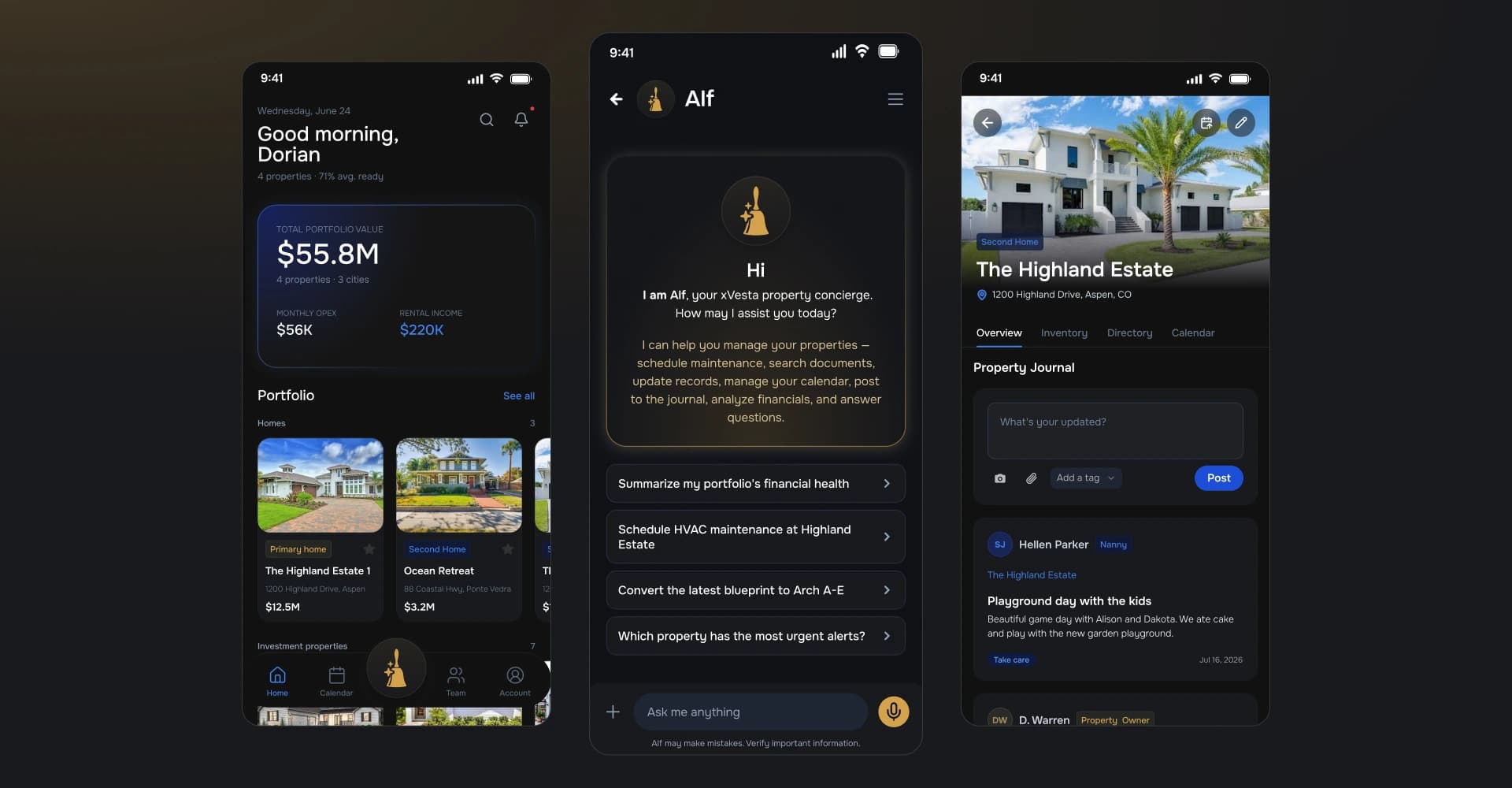
The challenge: an easy to use home management app for the small home owner
Homeowners with one to twenty properties collect a lot of information without having a natural place to keep it. Appliance details live in photos. Repair history lives in texts and inboxes. Documents disappear into folders. When something goes wrong, the record has to be rebuilt from fragments.
But most property management software is built for enterprise portfolios of 50 to 100 units or more. That leaves small homeowners without a product designed around the realities of managing one home or a modest portfolio. xVesta was born to close that gap: an easy-to-use home management app that keeps property records, documents, maintenance and guidance together without the complexity of an enterprise system.
The first approach: make documenting 10x easier
We mapped more than fifteen competitors, their pricing and platforms, and the complaints people left in one-star reviews. The same problem kept appearing: entering information was exhausting. A product could have every property feature in the category and still lose people in the first week if keeping the record felt like another job. We built eight synthetic users from the category and the founder’s knowledge of the audience, then focused on designing an experience that made uploading and organizing property information significantly easier.
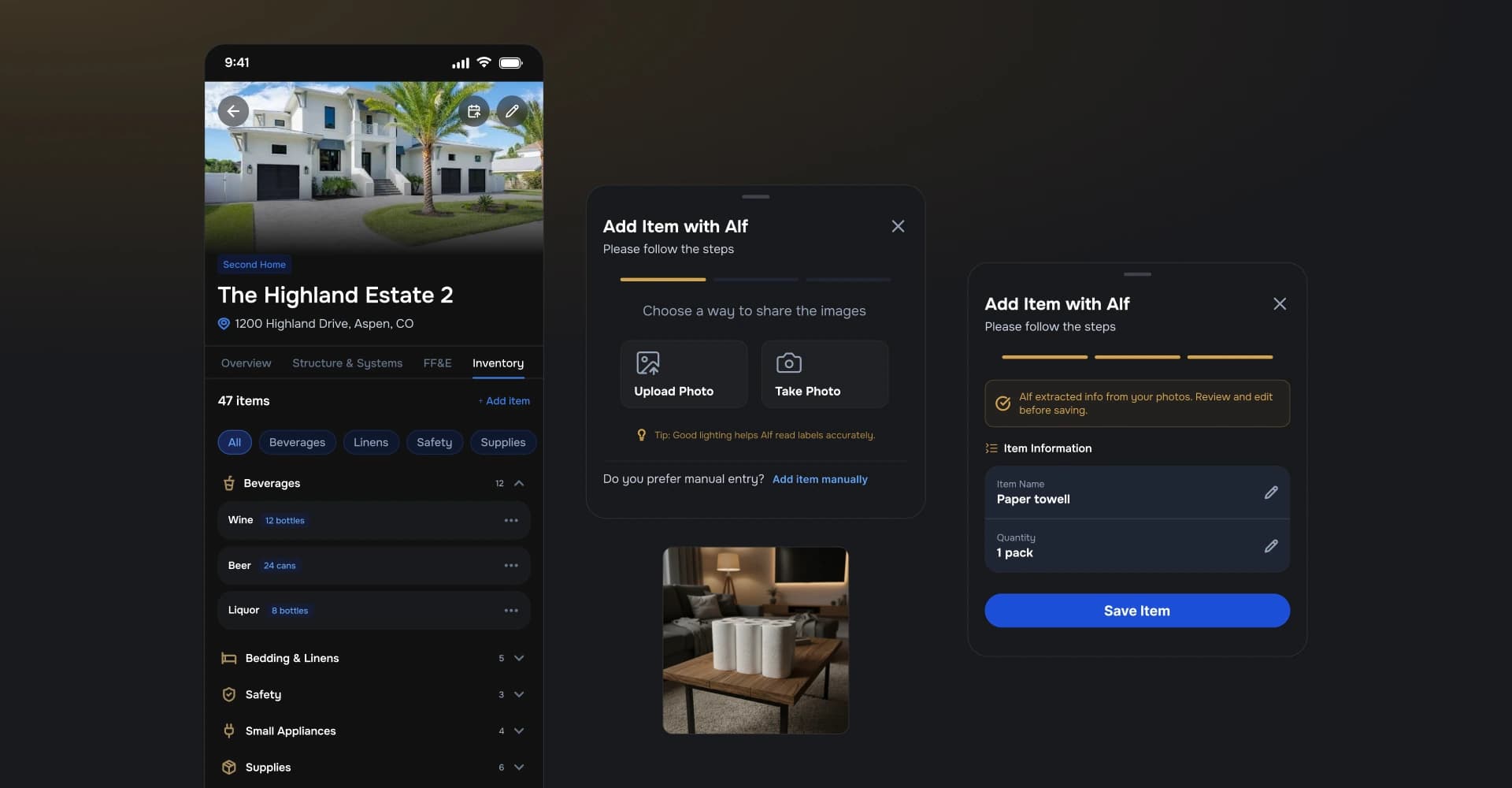
Enter Alf: the AI assistant
Alf starts before a user has learned the rest of xVesta. In voice onboarding, it helps establish the first property and explains what the product can do. In the app, people can talk with Alf through text or speech-to-text, return to multiple conversations and use the assistant alongside the records that give its answers context.
That relationship matters for a product with this much surface area. A homeowner does not need to learn every screen before getting value. Alf can guide them toward the right property, record or next action, while the product keeps the underlying information organized.
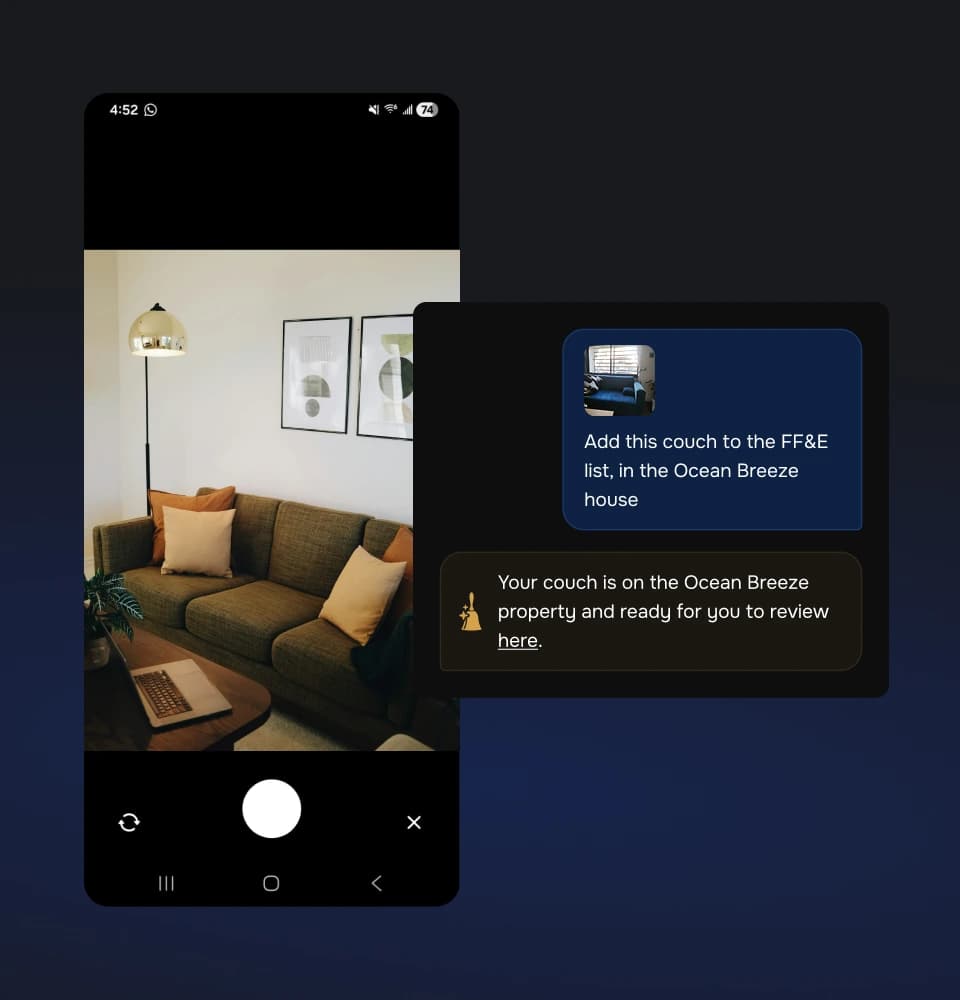
A property manager that does more than store a list.
The production product brought the record and the assistant into the same experience. Property management covers primary homes, secondary homes and other properties in one system, with structured records for systems, appliances, documents, repairs, reminders, vehicles, financials and journal entries.
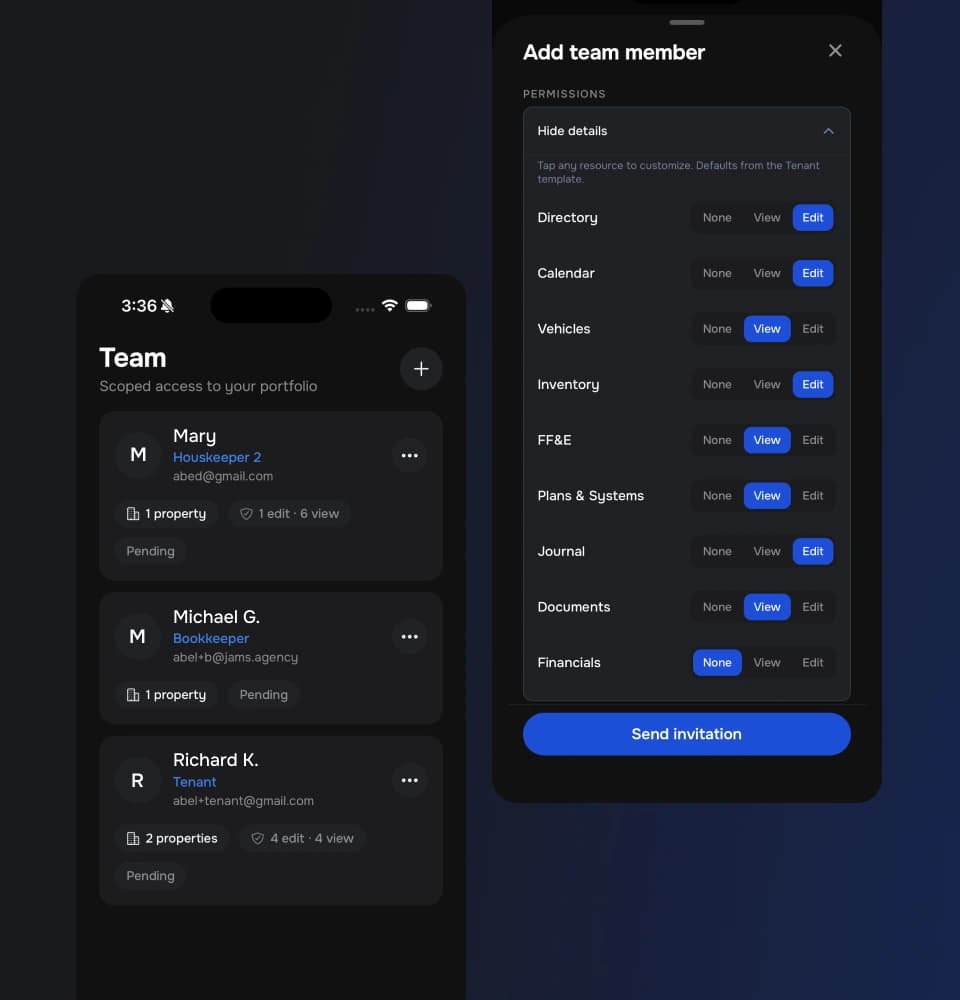
Workspaces, teams and roles keep the right people connected to the right properties and records. Camera capture adds information from a photo instead of starting with a blank form, while export and portability keep the property history useful beyond the app.
The product’s breadth is only useful if people can navigate it. That is why Alf is part of the product’s foundation rather than a feature placed on top of it.
- Property managementPrimary, secondary and other properties in one system.
- Structured recordsSystems, documents, repairs, reminders, vehicles, financials and journal entries.
- Camera captureAdd information from a photo instead of a blank form.
- Workspaces and rolesKeep the right people connected to the right properties and records.
- Alf onboardingUse voice to set up the first property and learn the product.
- Conversational AlfText, speech-to-text and multiple conversations with property context.
- Export and portabilityKeep the property history useful beyond the app.
Go from idea to live app
We’ll help define the product, make the difficult choices and move from working idea to something people can use.
Get in touch